
Dropbox
Dropbox is temporary file storage for a project. Upload a file and you get back a public, signed download URL that expires on its own — a day by default, up to a year. Good for handing someone a build artifact, sharing a generated report, or staging an archive to publish — without standing up a bucket or minting long-lived credentials.
When to reach for it#
A disk is for data a deployment keeps. Dropbox is the opposite: a file you want to get out of the platform briefly and then forget about.
- Share an artifact — a build output, a database dump, a log bundle — with someone who just needs a link, not an account.
- Hand a generated file to a human — an export or report produced by a job, surfaced as a URL they can click.
- Stage a static-site archive — upload a
.tar.gz, then point static-site publishing at the returned URL.
Every file carries a TTL of 1–365 days (default 1). Once it expires the link stops working and the bytes are reclaimed — there’s no manual delete and no way to extend a TTL. If you need a file to live longer, re-upload it.
Stored files are billed as dropbox_storage — a daily snapshot of the bytes you
hold, metered in GiB-months at the same rate as SSD Disk,
with no free tier. Egress (bytes downloaded) is billed separately as
dropbox_egress.
The download URL is signed: a tampered or made-up token is rejected before it ever touches storage, so a link only works if it came from a real upload. But the URL itself is the only credential — anyone who has it can download the file until it expires. Treat a Dropbox link like a secret, and don’t use Dropbox for anything you need to keep private indefinitely.
The Dropbox page#
Open Dropbox in a project to upload files and see what’s currently stored.
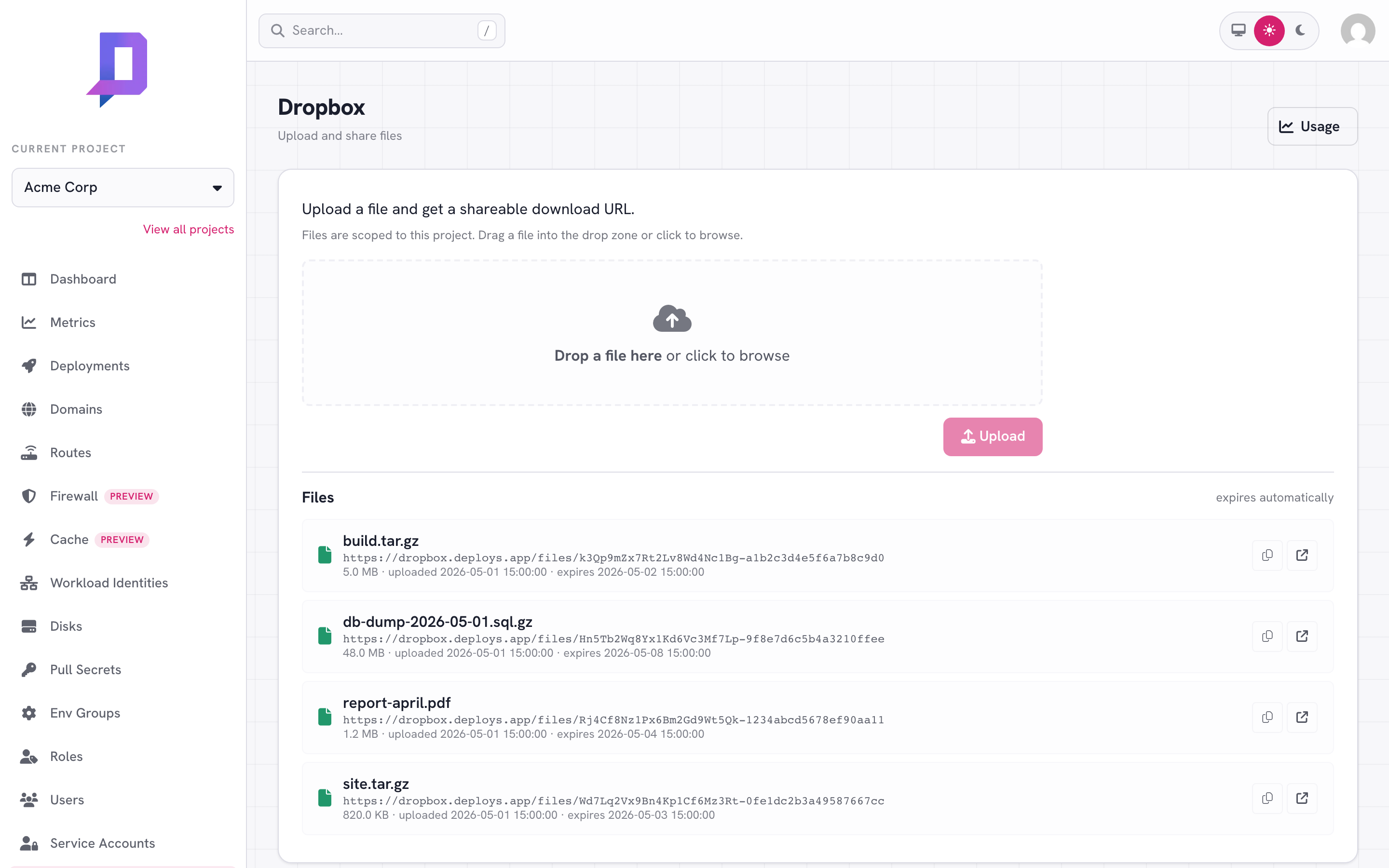
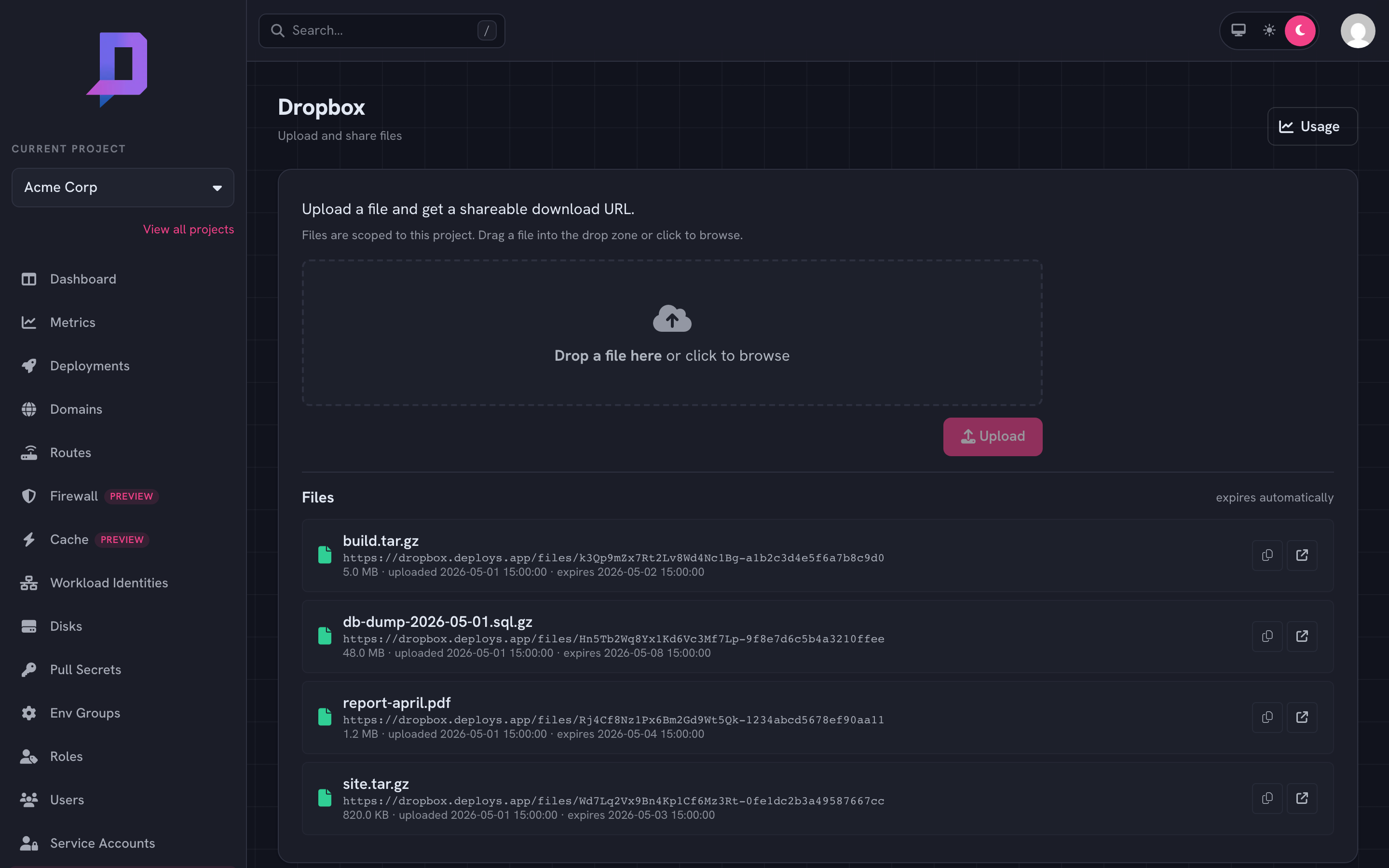
Drag a file onto the drop zone (or click to browse) and hit Upload. The new file appears in the list below with its download URL — copy it with the clipboard button, or open it in a new tab. Each row shows the size, the upload time, and when the link expires.
The Usage button (top right) opens charts for the project’s Dropbox egress (bytes downloaded) and storage (bytes held) over the last 7, 30, or 90 days.
Upload from the API#
Uploads are a raw POST to the Dropbox service — not a JSON-RPC action — so they
live on their own host, https://dropbox.deploys.app/. The request carries your
normal Bearer token; the caller needs the dropbox.upload permission on the
project.
curl -fsS -X POST \
  "https://dropbox.deploys.app/?project=acme&ttl=3&filename=build.tar.gz" \
  -H "Authorization: Bearer $DEPLOYS_TOKEN" \
  --data-binary @build.tar.gz
| Query param | Description | |
|---|---|---|
project | required | Project sid (the stable slug, e.g. acme) — or the numeric project ID — the upload is authorized and billed against |
ttl | optional | Lifetime in days, 1–365 (default 1) |
filename | optional | Name recorded in Content-Disposition for the download |
The same values can be passed as param-project / param-ttl / param-filename
headers instead; query params win when both are present. A successful response is
JSON:
{
  "ok": true,
  "result": {
    "downloadUrl": "https://dropbox.deploys.app/files/<token>",
    "expiresAt": "2026-06-19T08:00:00Z"
  }
}
On an auth or validation failure the service still answers 200 but with
{"ok": false, "error": {"message": "…"}} — check the ok field, not just the
HTTP status.
From Go#
The typed client wraps the upload in a helper that returns the URL, expiry, and byte count:
res, err := c.DropboxUpload(ctx, &client.DropboxUploadOptions{
    Project:  "acme",
    Content:  content,        // the file bytes
    Filename: "build.tar.gz", // optional
    TTLDays:  3,              // 1–365, default 1
})
// res.DownloadURL, res.ExpiresAt, res.Size
This is exactly what static-site publishing uses internally: upload an archive,
then pass res.DownloadURL to PublishSite.
Hand someone an upload URL#
Sometimes the file isn’t yours to upload — you want a teammate, a browser, or
an automated step to drop a file in without handing them a deploys.app token.
Mint a signed upload URL: a short-lived URL anyone can PUT a file to
directly. The bytes go straight to Dropbox, and the URL enforces the size and
content-type limits you set.
Two steps — create the URL (authenticated, needs dropbox.upload), then
PUT the file to it (no credential — the URL itself is the capability):
# 1. create — returns an uploadUrl to hand off + the eventual downloadUrl
curl -fsS -X POST "https://dropbox.deploys.app/uploads" \
  -H "Authorization: Bearer $DEPLOYS_TOKEN" \
  -H "Content-Type: application/json" \
  -d '{"project":"acme","ttl":3,"filename":"build.tar.gz","contentType":"application/gzip","maxSize":104857600,"expires":900}'
{
  "ok": true,
  "result": {
    "method": "PUT",
    "uploadUrl": "https://dropbox.deploys.app/uploads/<token>",
    "downloadUrl": "https://dropbox.deploys.app/files/<token>",
    "contentType": "application/gzip",
    "minSize": 1,
    "maxSize": 104857600,
    "ttl": 3,
    "uploadExpiresAt": "2026-06-19T08:15:00Z"
  }
}
# 2. upload — whoever holds the URL PUTs the file (no token needed)
curl -fsS -X PUT "<uploadUrl>" \
  -H "Content-Type: application/gzip" \
  --data-binary @build.tar.gz
| Body field | Description | |
|---|---|---|
project | required | Project sid (or numeric ID) the upload is authorized and billed against |
ttl | optional | Download lifetime in days, 1–365 (default 1); the clock starts when the file is PUT |
filename | optional | Name recorded in Content-Disposition for the download |
contentType | optional | If set, the PUT must send this exact Content-Type |
minSize / maxSize | optional | Byte bounds enforced on the PUT — min floors at 1 (empty uploads are refused), max clamps to the service cap (default 5 GiB) |
expires | optional | How long the upload URL stays valid, in seconds, 1–3600 (default 900) |
The PUT is enforced: a body outside the size bounds, a mismatched
Content-Type, or an expired/forged URL is rejected; on success it returns the
live downloadUrl with the file’s size and expiresAt. The upload URL is a
capability — treat it like a secret. Re-using it before it expires overwrites the
file.
From Go#
res, err := c.DropboxCreateUploadURL(ctx, &client.DropboxCreateUploadURLOptions{
    Project:     "acme",
    Filename:    "build.tar.gz",     // optional
    ContentType: "application/gzip", // optional, enforced on the PUT
    MaxSize:     100 << 20,          // optional byte cap
    TTLDays:     3,                  // 1–365, default 1
    Expires:     900,                // upload-URL lifetime in seconds
})
// res.UploadURL (hand off), res.DownloadURL (where it lands), res.UploadExpiresAt
From the CLI#
The deploys CLI covers the whole lifecycle:
# upload a local file (needs dropbox.upload)
deploys dropbox upload --project acme --file build.tar.gz --ttl 3

# mint a signed upload URL to hand off (needs dropbox.upload)
deploys dropbox upload-url --project acme --filename build.tar.gz \
  --content-type application/gzip --max-size 104857600 --expires 900

# everything currently stored in the project (needs dropbox.list)
deploys dropbox list --project acme

# narrow by upload time, cap the count
deploys dropbox list --project acme \
  --after 2026-06-01 --before 2026-06-15 --limit 20

# egress + storage over the last 30 days, 7d / 30d / 90d (needs dropbox.list)
deploys dropbox metrics --project acme --time-range 30d
upload reads a file (or stdin) and prints the download URL; upload-url prints
an upload URL to hand off plus the eventual download URL; list returns each
file’s download URL, filename, size, TTL, and its created / expires timestamps —
the same view the console shows.
Permissions#
| Permission | Grants |
|---|---|
dropbox.upload | Upload files to the project |
dropbox.list | List stored files and read usage metrics |
Grant these through a role like any other permission.