
Web Application Firewall
The Firewall is an ordered list of rules that run for every request matching a route in the project. Each rule has an expression and an action — block, log, or allow.
The Firewall page#
The Firewall tab lists every zone in the project (one per location), with its status, description, rule count, and a 24-hour match sparkline so you can see how busy each rule has been.
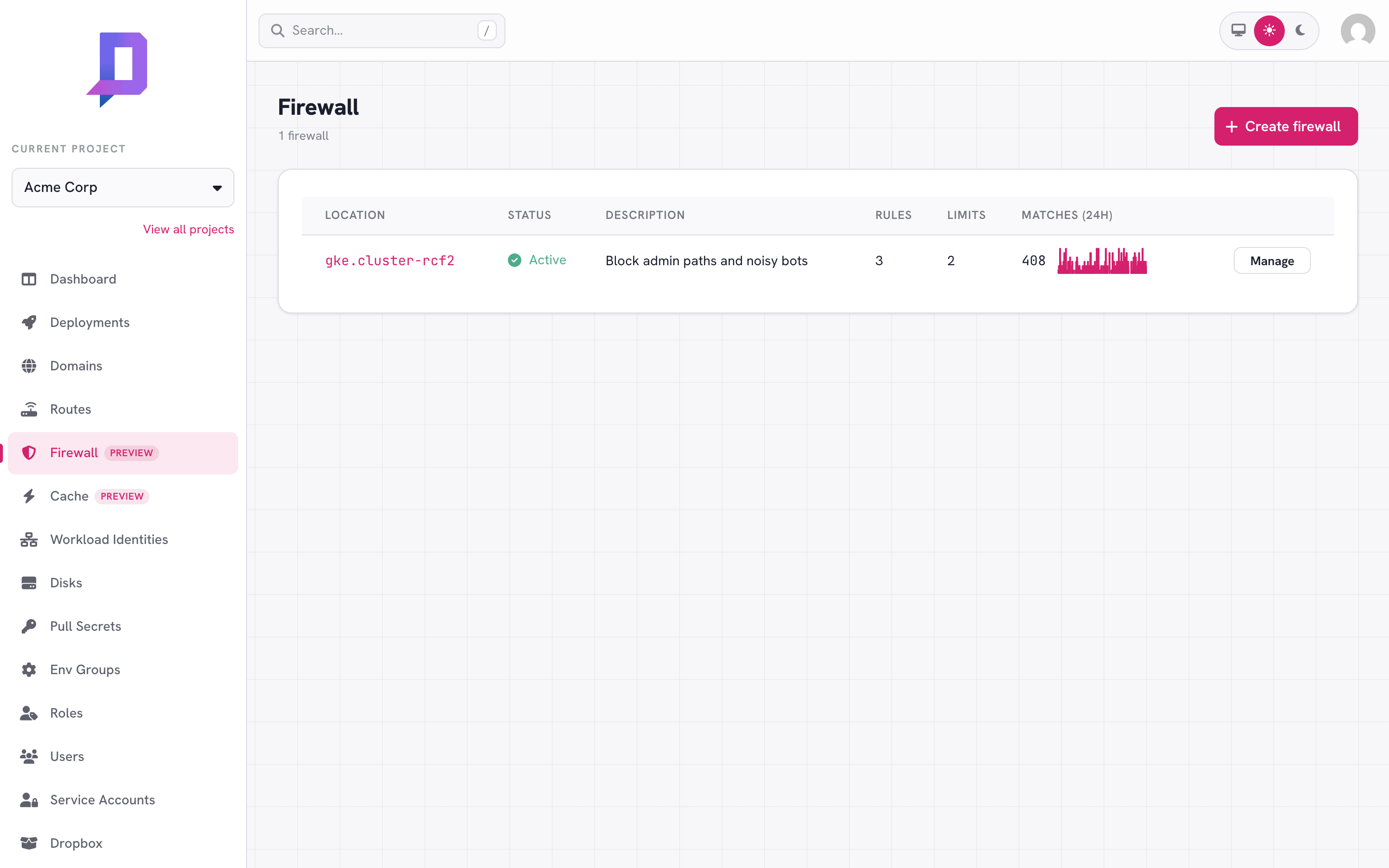
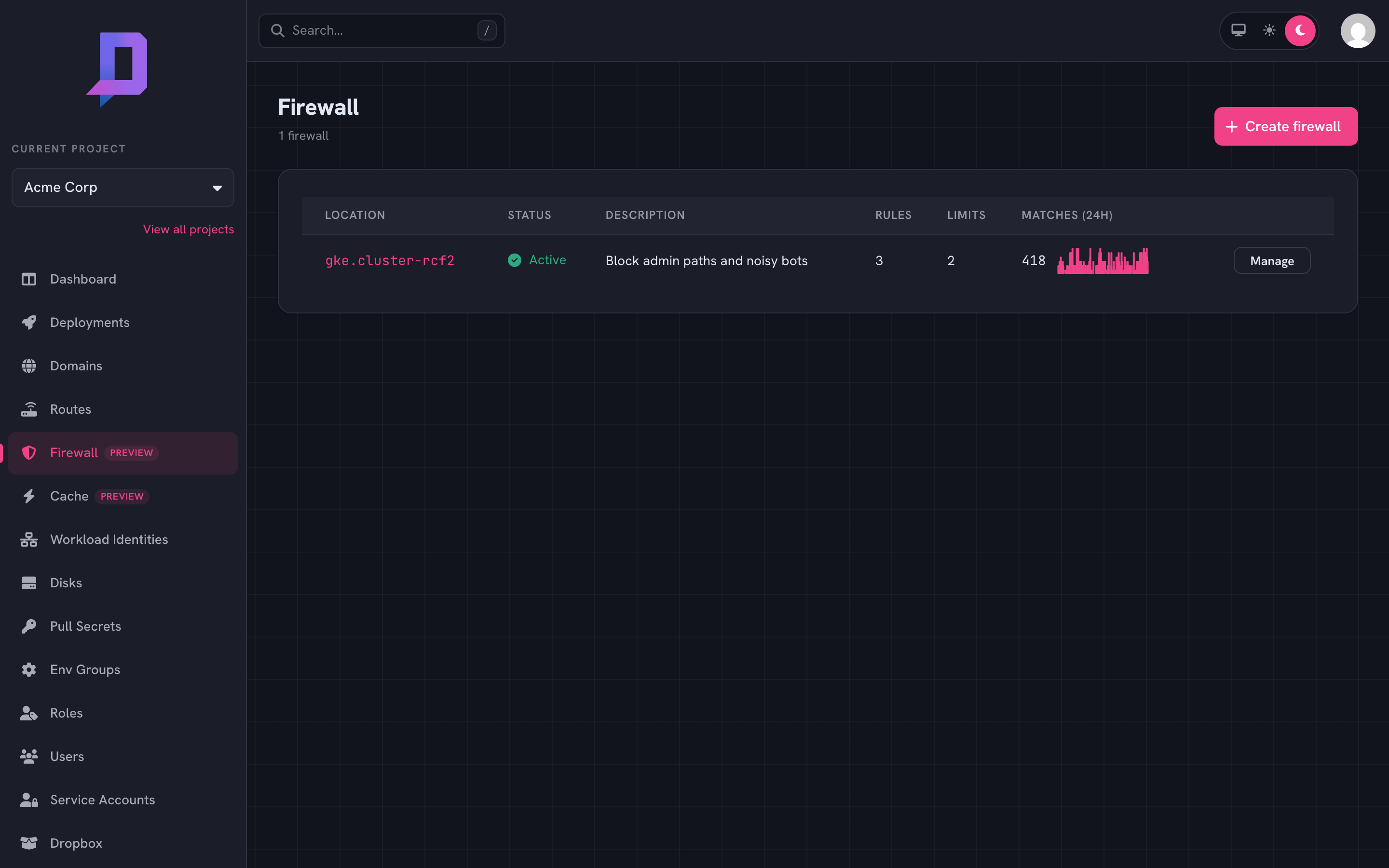
Click Manage to view, edit, and reorder the zone’s rules.
How rules work#
Rules evaluate in priority order — lowest priority number first. The first rule whose expression matches the request decides the outcome:
| Action | Effect |
|---|---|
block | Return the configured status (default 403) and stop. The request never reaches your deployment. |
log | Record a match in metrics and continue evaluating later rules. |
allow | Stop evaluating and forward the request to the deployment, bypassing later rules. |
A request that doesn’t match any rule is forwarded normally.
{
  "id": "block-admin",
  "description": "Block external access to /admin",
  "expression": "request.path.startsWith('/admin')",
  "action": "block",
  "status": 403,
  "message": "Forbidden",
  "priority": 10
}
The expression language#
Rule expressions are small boolean expressions over the request. Common references:
request.path— the URL path (string).request.method—GET,POST, …request.ip— the client IP as seen by the gateway.request.headers['name']— a header value (string), lowercased name.request.host— the request hostname.
Operators: ==, !=, &&, ||, !, plus the string helpers
.startsWith(s), .endsWith(s), and .contains(s).
request.path.startsWith('/admin')
request.headers['user-agent'].contains('bot')
request.ip == '203.0.113.7'
request.path.endsWith('.php') && !request.headers['x-internal'].contains('yes')
Patterns#
Always allow your own egress IPs. Stick an allow rule with low priority
at the top of the zone so good traffic short-circuits the rest of the rules.
priority 10 — allow — request.ip == '203.0.113.7'
priority 50 — block — request.path.startsWith('/admin')
priority 90 — log   — request.headers['user-agent'].contains('bot')
Roll out new blocks safely. Add a rule as log first, watch the matches
on the metrics page for a day, then flip it to block once you’ve confirmed
it’s catching what you expect (and not what you don’t).
Rate limiting#
Alongside the block/log/allow rules, a zone can carry rate limits — counters that reject (or just watch) traffic arriving faster than a threshold. Limits are independent of the rules: they’re evaluated for every request the zone covers, so a request that passes every rule can still be rejected by a limit.
A limit sorts requests into buckets and rejects a bucket once it exceeds
rate requests per window. What defines a bucket is the key:
| Key | One bucket per |
|---|---|
ip | client IP (the default) |
host | request hostname |
asn | client network (autonomous system number) |
country | client country |
header:<name> | value of a request header |
cookie:<name> | value of a cookie |
List several to bucket on the combination — ["ip", "host"] limits each IP
per host. With no key the limit defaults to ["ip"].
Limits live on the same zone as the rules. Set them with waf.set, in a
limits array next to rules — and, like the rules, waf.set replaces the
whole zone, so send the full limits list every time:
"limits": [
  {
    "description": "100 req/min per IP",
    "key": ["ip"],
    "rate": 100,
    "window": "1m"
  },
  {
    "description": "Throttle login to slow credential stuffing",
    "key": ["ip"],
    "rate": 5,
    "window": "1m",
    "filter": "request.path == '/login' && request.method == 'POST'",
    "status": 429,
    "message": "Too many attempts — slow down."
  }
]
Each limit understands:
| Field | Meaning | |
|---|---|---|
rate | required | Max requests per window per bucket (> 0). |
window | required | Go duration, 1s–1h (e.g. 30s, 1m, 1h). |
key | optional | Bucket characteristics (above); default ["ip"]. |
algorithm | optional | fixed (default) fixed window, or sliding for a smoother rolling window. |
mode | optional | enforce (default) rejects; shadow only counts — see below. |
status | optional | Response status when limited: 429 (default) or 503. |
message | optional | Response body when limited (default Too Many Requests). |
filter | optional | A CEL expression (the same request.* surface as rule expressions) scoping the limit to matching requests; empty means every request. A filter that errors at runtime fails open — the limit is skipped — so a bad filter can’t reject good traffic. |
A zone holds up to 20 limits.
Size a limit in shadow mode first. Set "mode": "shadow" and the limit
counts matches without rejecting anything. Watch the limited share on the metrics
page for a day or two, confirm the threshold only catches abuse, then flip it to
enforce. It’s the rate-limit equivalent of rolling out a rule as log before
block.
Managed rules (OWASP Core Rule Set)#
Your rules catch exactly what you write them to catch. Managed rules add the generic attack long tail: one toggle enables the OWASP Core Rule Set for the zone — curated signatures for SQL injection, cross-site scripting, path traversal and file inclusion, protocol violations, and scanner/bot fingerprints — maintained and updated by the platform. Keep your own rules for business logic (geo blocks, header gates, path allow-lists); let managed rules handle the attacks nobody writes by hand.
Managed rules evaluate after your rules and before rate limits:
request → your rules (block / log / allow) → managed rules → rate limits → deployment
A request blocked by one of your rules never reaches the managed ruleset, and
a request blocked by managed rules is rejected before rate-limit accounting —
it never consumes rate budget. An allow rule skips only your remaining
rules — managed rules (and rate limits) still evaluate the request. So
allow-listing a scanner’s IP does not exempt it from the managed ruleset; if
it trips a signature, exclude that rule id (see below) rather than expecting
the allow to cover it.
Matching is anomaly-scored rather than first-match: every signature that
matches adds to the request’s anomaly score (a critical signature scores 5),
and the request is rejected with a 403 once the total reaches the
anomaly threshold (default 5). At the defaults, one critical match blocks.
Signatures inspect the request line, query string, and headers on every
request, and request bodies up to a platform-configured size limit.
Turning it on#
Managed rules live on the zone, next to rules and limits, as a
managedRules object on waf.set:
"managedRules": {
  "enabled": true,
  "mode": "enforce",
  "paranoiaLevel": 1,
  "anomalyThreshold": 5,
  "excludedRules": []
}
| Field | Meaning | |
|---|---|---|
enabled | required | Turn the managed ruleset on or off for the zone. |
mode | optional | enforce (default) rejects over-threshold requests with 403; detect evaluates and records matches but never blocks — see the note below before relying on it. |
paranoiaLevel | optional | 1–4, default 1. How aggressive the ruleset is — see below. |
anomalyThreshold | optional | 1–100, default 5. Total anomaly score at which a request is rejected; each critical match scores 5, so lower = stricter. |
excludedRules | optional | CRS rule ids (911100–948999) to disable, up to 50 — false-positive relief, see below. |
waf.set replaces the whole zone — managedRules included. A waf.set
that omits the field turns managed rules off and discards the tuning.
Scripts must waf.get, edit, and re-set the full zone. To pause enforcement
without losing a curated exclusion list, set "enabled": false instead of
omitting the field — a disabled block keeps its tuning and round-trips through
waf.get intact.Paranoia levels#
The paranoia level selects how much of the ruleset is active:
| Level | Character |
|---|---|
1 | Baseline. Covers the classic attacks with minimal false positives — engineered to be safe on ordinary production traffic. |
2 | Adds stricter variants; occasional false positives on unusual-but-legitimate payloads (e.g. raw SQL fragments in form fields). |
3 | Strict. Expect false positives without tuning. |
4 | Paranoid. For high-security targets; substantial tuning required. |
Start at level 1 — it’s the default, and at level 1 enforcement is safe for almost all applications. Only raise the level once you have a way to see what would match (per-project match metrics — see the note below) and a workflow to exclude the false positives it surfaces.
detect mode records matches, but they are
currently visible to platform operators only, so a detect soak tells you
nothing on its own. If you hit an unexpected 403 (or want a report of what
detect recorded), contact support: operators can list the exact rule ids
that fired for your zone. Per-project match metrics on this page’s charts are
planned as a follow-up.Excluding a rule (false positives)#
Every CRS signature has a numeric rule id. When a legitimate request gets blocked, the fix is to exclude the offending rule — not to lower the paranoia level or turn the whole ruleset off:
- Reproduce the blocked request and note the time and path.
- Get the matching rule id(s) — in this release, ask support for the zone’s match report (see the note above).
- Add the id to
excludedRulesand re-setthe zone.
"managedRules": {
  "enabled": true,
  "excludedRules": [942100, 920420]
}
Only detection rules (911100–948999) can be excluded; the ruleset’s setup
and scoring machinery cannot. Excluding a rule only weakens your zone —
nothing you exclude affects other projects.
Availability#
Like the rest of the Firewall, managed rules roll out per location.
location.get reports the flag under features.waf.managedRules; in the
console, the card shows “Not available in this location” when the zone’s
location doesn’t support it yet. waf.set with managedRules enabled on an
unsupported location is rejected.
Metrics#
The Firewall metrics page plots matches per (rule, action) over a selectable window — 1h, 6h, 12h, 1d, 7d, 30d — so you can see which rules are hot and catch rule changes that suddenly start matching production traffic.
The same data is available via the API:
curl https://api.deploys.app/waf.metrics \
  -H "Authorization: Bearer $DEPLOYS_TOKEN" \
  -d '{ "project": "acme", "location": "gke.cluster-rcf2",
        "timeRange": "1d" }'
Rate limits have their own series via waf.limitMetrics, returned per
(limit, result) where result is allowed or limited. Charting the limited
share — limited / (allowed + limited) — is how you size a shadow limit
before enforcing it.
curl https://api.deploys.app/waf.limitMetrics \
  -H "Authorization: Bearer $DEPLOYS_TOKEN" \
  -d '{ "project": "acme", "location": "gke.cluster-rcf2",
        "timeRange": "1d" }'